

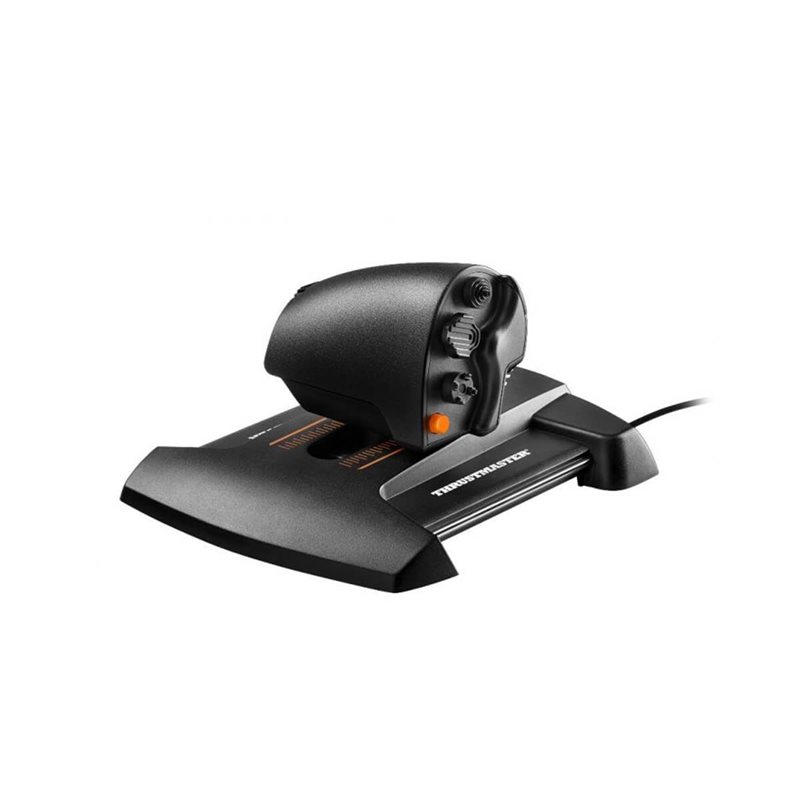


TWCS throttle
- S.M.A.R.T
technology: unique system of slide rails for perfectly smooth throttle
sliding motion – precise and comfortable, with 3.2 inch/80 mm range of
travel
- 5 (+3) axes: 1 throttle + 2-axis mini-stick + 1 toggle rudder + 1 rotary antenna + connector for optional external 3-axis TFRP rudder (16-bit throttle axis = 65635 values / all other axes = 1024 values each)
- 14 action buttons + 8-way PoV hat: two 4-way hat switches + 3 buttons + one 2-position slider + 1 push mini-stick + one 8-way Point of View hat switch
- Manual toggle rudder with 15° angle and re-centering
- Connector for optional external TFRP rudder (sold separately)
- Tension screw (accessible via underside of throttle’s base): adjust the S.M.A.R.T mechanism’s resistance to suit your taste
- 1 mini-stick with push button that can be used for elevation and strafing in space simulation games or for slew control; can also be used for menu selection and validation
- 1 rotary wheel: easily validate settings or control radio antenna
- Ready for cockpit mounting: 2 M6 screw threads for attachment to cockpit + 4 rubber foot pads for perfect stability on a desk or cockpit
Thrustmaster flight product ecosystem
This product is part of a range of flight simulation peripherals that can be used in conjunction with one another: a complete ecosystem featuring the FCS flight stick, TWCS throttle, TFRP rudder pedals and MFD (Multi-Functional Display) cockpit panels. These elements are compatible with or without the T.A.R.G.E.T advanced programming software.
T.A.R.G.E.T programming software
Thrustmaster Advanced pRogramming Graphical EdiTor software: combine with other Thrustmaster devices (so that they are recognized as a single USB device), and load or create specific mapping profiles for each game
(This product is not distributed under license from and is in no way endorsed by Microsoft Corporation)
Features
Plug-and-play

Achieve high-quality audio by simply plugging in the USB connection.
Noise-canceling microphone
.png)
The flexible microphone reduces background noise for natural-sounding conversations.
Experience-digital-clarity
.png)
Bring all your favorite sounds to life with clear, digital audio.
More lifelike chatting
.png)
The flexible microphone reduces background noises, so your friends and family can hear more of your crystal-clear voice.
Pure-comfort
.png)
Enjoy unmatched comfort and the perfect fit with the lightweight, flexible headband.