Description
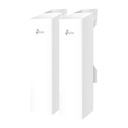
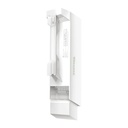
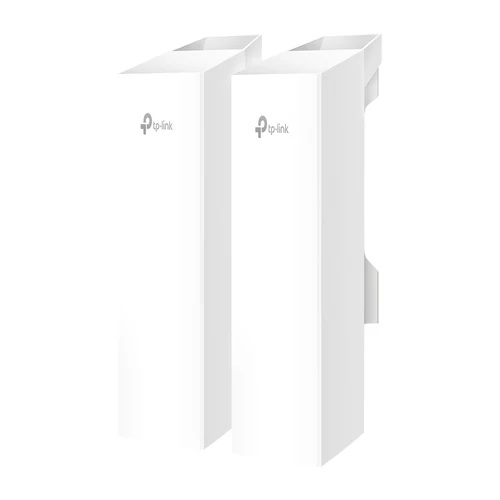
EAP215-Bridge KIT
Wireless Bridge 5 GHz 867 Mbps Long-Range Indoor/Outdoor Access Point
- 802.11ac for up to 867 Mbps on the 5 GHz wireless data rate.*1
- Ideal for long-range wireless transmission up to 5 km.*2
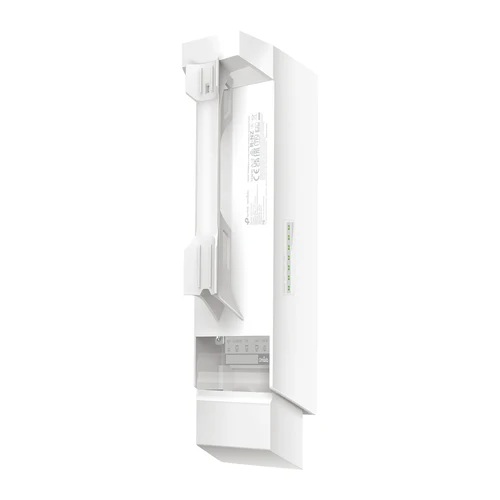
- Auto-pairing and agile LEDs for efficient deployment.
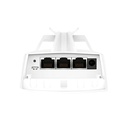
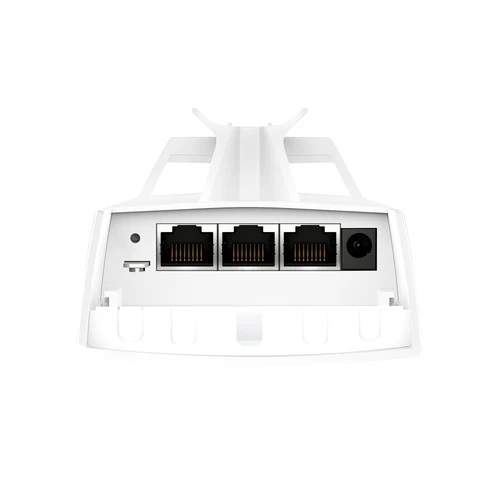
- 3× Gigabit Ethernet ports for more high-speed IP camera connections.
- Supports Omada SDN for remote and centralized management.
- IP65 weatherproof enclosure and 6kV lightning protection ensure all-weather suitability.*3
- Supports Passive PoE for flexible deployment (adapter included).
| HARDWARE FEATURES | |
|---|---|
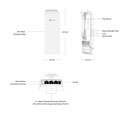
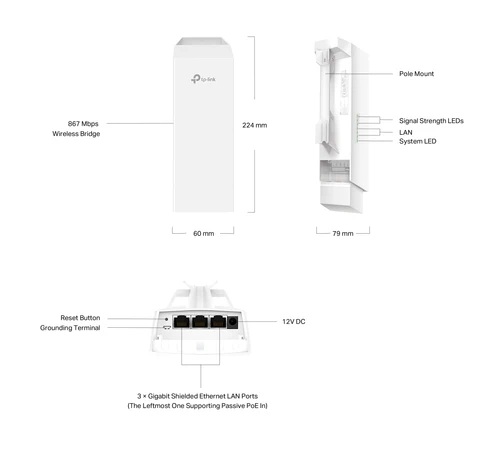
| Interface | 3x Gigabit Ethernet Ports |
| Button | Reset |
| Power Supply | 12V DC / 24V Passive PoE (Passive PoE adapter included.) |
| Dimensions ( W x D x H ) | 8.8 x 3.1 x 2.4 in (224 × 79 × 60 mm) |
| Antenna Type | Internal 2×2 Dual-polarized directional MIMO antennas 5 GHz: 11.0 dBi |
| Mounting | Pole mounting (Accessories included) |
| WIRELESS FEATURES | |
|---|---|
| Wireless Standards | IEEE 802.11 a/b/g/n/ac |
| Frequency | 5 GHz |
| Signal Rate | 5 GHz: Up to 867 Mbps |
| Wireless Functions | • Mesh*4 • MU-MIMO: 5G 2x2 MU-MIMO DL • Load Balance • Beamforming • Airtime Fairness • Multiple SSIDs:8 • Wireless Statistics • Wireless Schedule • Reboot Schedule • RADIUS Accounting • MAC Authentication • Static IP/Dynamic IP |
| Wireless Security | • VLAN • Access Control • Rogue AP Detection • Captive Portal Authentication*4 • Maximum number of MAC Filter: 4,000 • WPA-Personal/Enterprise, WPA2-Personal/Enterprise |
| Transmission Power | • CE: <23dBm (5 GHz, band 1/2, EIRP); <30dBm (5 GHz band3, EIRP); • FCC: <22dBm (5 GHz band1/4) |
| MANAGEMENT | |
|---|---|
| Omada App | Yes |
| Restore & Backup | Yes |
| Firmware update via Web | Yes |
| NTP | Yes |
| Centralized Management | • Omada Hardware Controller (OC300) • Omada Hardware Controller (OC200) • Omada Software Controller • Omada Cloud-Based Controller |
| Cloud Access | Yes. Require the use of OC300, OC200, the Omada Software Controller, or Omada Cloud-Based Controller. |
| LED ON/OFF Control | Yes |
| Management MAC Access Control | Yes |
| SNMP | v1, v2c, v3 |
| SSH | Yes |
| Web-based Management | Yes |
| OTHERS | |
|---|---|
| Certification | CE, FCC, RoHS |
| Package Contents | • EAP215-Bridge KIT • Passive PoE Adapter • Power Cord • Installation Guide • Mounting Kit |
| Environment | • Operating Temperature: -40 °C–70 °C (-40 °F–158 °F); • Storage Temperature: -40 °C–70 °C (-40 °F–158 °F); • Operating Humidity: 10%–90% non-condensing; • Storage Humidity: 5%–90% non-condensing |
For additional version information, please go to the support page.
1. Maximum wireless transmission rates are the physical rates derived from IEEE Standard 802.11 specifications. Range and coverage specifications, along with the number of connected devices, were defined according to test results under normal usage conditions. Actual wireless transmission rate, wireless coverage, and number of connected devices are not guaranteed and will vary as a result of 1) environmental factors, including building materials, physical objects, and obstacles; 2) network conditions, including local interference, volume and density of traffic, product location, network complexity, and network overhead; and 3) client limitations, including rated performance, location, connection quality, and client condition.
2. All products are tested in real outdoor environments. Actual range and throughput depend on the transmission power and environmental factors such as wireless interference, obstacles, weather, etc.
3. Protection against lightning and electro-static discharge may be achieved through proper product setup, grounding, and cable shielding. Refer to the instruction manual and consult an IT professional to assist with setting up this product.
4.These functions require the use of an Omada SDN controller.
Features
Plug-and-play

Achieve high-quality audio by simply plugging in the USB connection.
Noise-canceling microphone
.png)
The flexible microphone reduces background noise for natural-sounding conversations.
Experience-digital-clarity
.png)
Bring all your favorite sounds to life with clear, digital audio.
More lifelike chatting
.png)
The flexible microphone reduces background noises, so your friends and family can hear more of your crystal-clear voice.
Pure-comfort
.png)
Enjoy unmatched comfort and the perfect fit with the lightweight, flexible headband.